
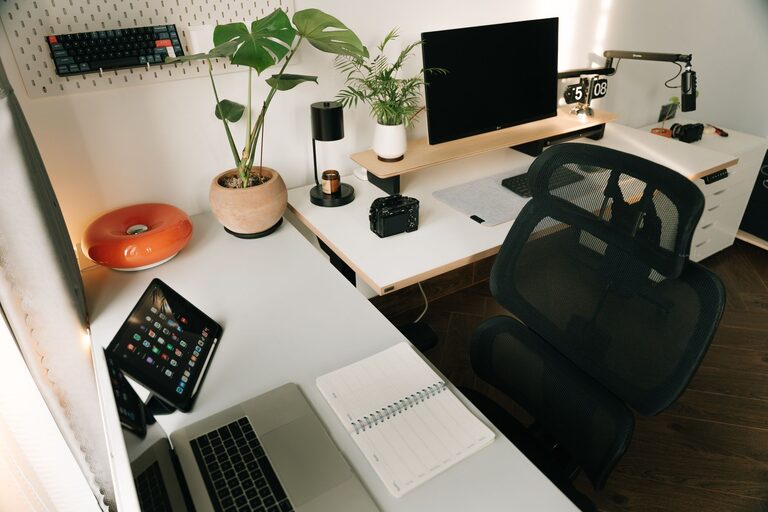
Tips for Organizing Your Home Office to Boost Productivity and Comfort
Creating a productive and comfortable home office environment is essential for anyone working remotely or managing tasks from home. A well-organized workspace can reduce distractions, improve focus, and make your workday more enjoyable. Whether you have a dedicated room or a small corner, these tips will help you organize your home office to boost productivity and comfort.
Choose the Right Location
Selecting the right space for your home office is the first step toward productivity. Ideally, choose a quiet area with minimal distractions. Natural light is also a huge plus — it helps reduce eye strain and lifts your mood. If a separate room isn’t available, a nook or corner away from common living areas can still work well.
Declutter and Simplify
A cluttered desk makes it hard to concentrate. Start by removing unnecessary items and keeping only essentials within reach. Use storage solutions like drawers, shelves, or bins to keep paperwork, office supplies, and equipment organized and out of sight. Regularly go through your materials to discard or recycle items you no longer need.
Tips for Decluttering:
– Use labeled containers for supplies.
– Digitize documents to reduce paper clutter.
– Keep only today’s tasks visible.
Invest in Ergonomic Furniture
Comfort is key to maintaining productivity, especially if you spend many hours at your desk. Invest in an ergonomic chair that supports your back and promotes good posture. Pair it with a desk at the right height to prevent strain on your wrists and neck.
Additional Ergonomic Considerations:
– Consider a keyboard wrist rest.
– Use a monitor stand to position your screen at eye level.
– Add a footrest if your feet don’t comfortably touch the ground.
Organize Cables and Tech
Cables can quickly become tangled and make your workspace messy. Use cable organizers, clips, or sleeves to keep cords tidy and out of the way. A wireless keyboard and mouse can also reduce cable clutter.
Keep your devices charged and within easy reach. Designate a specific spot for your phone, tablet, and chargers to avoid searching for them.
Optimize Lighting
Good lighting can reduce eye strain and enhance your focus. Position your desk near a window to take advantage of natural light. Supplement with adjustable desk lamps or overhead lighting if needed. Avoid harsh fluorescent lights that can cause headaches or fatigue.
Personalize Your Space Thoughtfully
Adding personal touches like plants, artwork, or photos can make your home office feel inviting and motivating. However, be mindful not to overdo it — too many decorations can become distractions. Choose items that inspire and create a calming atmosphere.
Use a Task Management System
Organization goes beyond physical space. Keeping track of your tasks and deadlines is crucial. Use planners, calendars, or digital tools like apps to organize your schedule. Having a clear plan reduces stress and helps you prioritize effectively.
Create Zones for Different Activities
If space allows, designate specific areas for different tasks—for example, a section for computer work, another for reading or brainstorming. This separation can help your brain switch focus and improve efficiency.
Maintain Your Space Regularly
Consistency is important. Set aside a few minutes at the end of each day or week to tidy your workspace. Regular maintenance prevents clutter buildup and keeps your office comfortable and ready for the next work session.
Final Thoughts
Organizing your home office is about creating a space that supports your work habits and lifestyle. By choosing a suitable location, decluttering, investing in comfort, and maintaining good organization habits, you can build an environment that enhances both productivity and comfort. Small changes can make a big difference in how you feel and perform throughout your workday.
