
Tips for Creating a Comfortable and Productive Home Office Space
Creating a home office space that is both comfortable and productive is essential for anyone working remotely or managing tasks from home. A well-designed workspace can boost your efficiency, improve your focus, and help maintain a healthy work-life balance. Below are practical tips to help you build a home office that supports your best work.
Choose the Right Location
Find a Quiet Space
Select a spot in your home where you can work with minimal distractions. A quiet corner or a spare room is ideal for staying focused.
Consider Natural Light
Natural light can improve mood and energy levels. Position your desk near a window if possible, but avoid glare on your computer screen.
Accessibility and Privacy
Make sure the space is easily accessible for your daily routine but offers enough privacy to hold calls or meetings without interruptions.
Invest in Ergonomic Furniture
Choose a Comfortable Chair
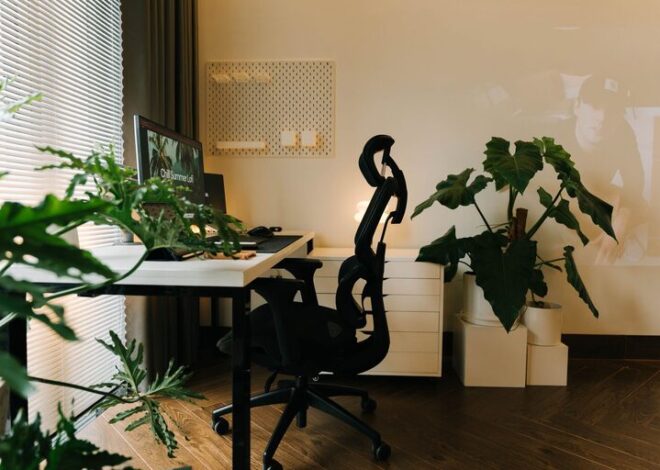
A supportive chair with adjustable height and lumbar support is key for long work hours. This helps prevent back pain and posture problems.
Pick the Right Desk
Your desk should be spacious enough to hold your computer, notebooks, and other essentials without feeling cramped. Adjustable desks that can switch between sitting and standing are a great bonus.
Accessories Matter
Consider a keyboard tray, monitor stands, or footrests to fine-tune your workstation ergonomics.
Optimize Lighting
Layer Your Lighting
Combine natural light with ambient and task lighting. Use a desk lamp with adjustable brightness to reduce eye strain.
Avoid Screen Glare
Position your monitor perpendicular to windows or use curtains and blinds to manage incoming light.
Organize Your Space
Declutter Regularly
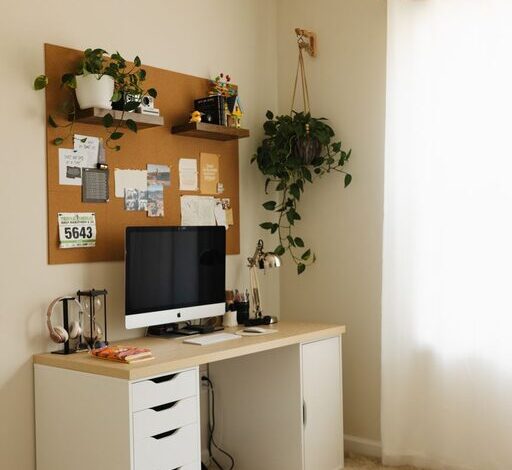
Keep your desk tidy by storing away unnecessary items. Use drawers, shelves, or storage boxes to organize supplies.
Use Organizational Tools
Desk organizers, filing cabinets, and cable management solutions can keep your workspace orderly and distraction-free.
Personal Touches
Add elements like plants, artwork, or motivational quotes to make your office inviting and personalized without creating clutter.
Manage Technology Efficiently
Setup Reliable Internet
A strong, stable internet connection is crucial to avoiding interruptions during virtual meetings or online work.
Equip with Essential Devices
Invest in quality peripherals like a good keyboard, mouse, headset, and monitor to enhance comfort and productivity.
Keep Cords Organized
Use cable ties or clips to prevent wires from tangling and keep your desk neat.
Establish a Routine and Boundaries
Set Work Hours
Define clear work times to separate work from personal life, especially in a home environment where the lines can blur.
Create a Pre-Work Ritual
Start your day with a routine like making coffee or reviewing your to-do list to mentally prepare for work.
Communicate Boundaries
If you live with others, explain your work schedule so they can respect your focused time.
Incorporate Elements to Reduce Stress
Add Plants
Indoor plants improve air quality and bring a sense of calm, which can enhance concentration.
Play Background Music
Soft instrumental music or white noise can help block distractions and improve focus.
Take Breaks
Regular short breaks to stretch, walk, or relax prevent burnout and maintain productivity.
Maintain Comfort
Temperature Control
Select a spot where you can control the temperature, either with a fan, heater, or thermostat, to stay comfortable.
Hydrate and Snack
Keep water and healthy snacks at hand to maintain energy levels throughout the day.
—
By following these tips, you can create a home office environment that supports your professional needs while ensuring your well-being. A thoughtfully designed workspace makes remote work more enjoyable and helps you stay productive day after day.